




































USB-C vs Lightning: What’s the Difference

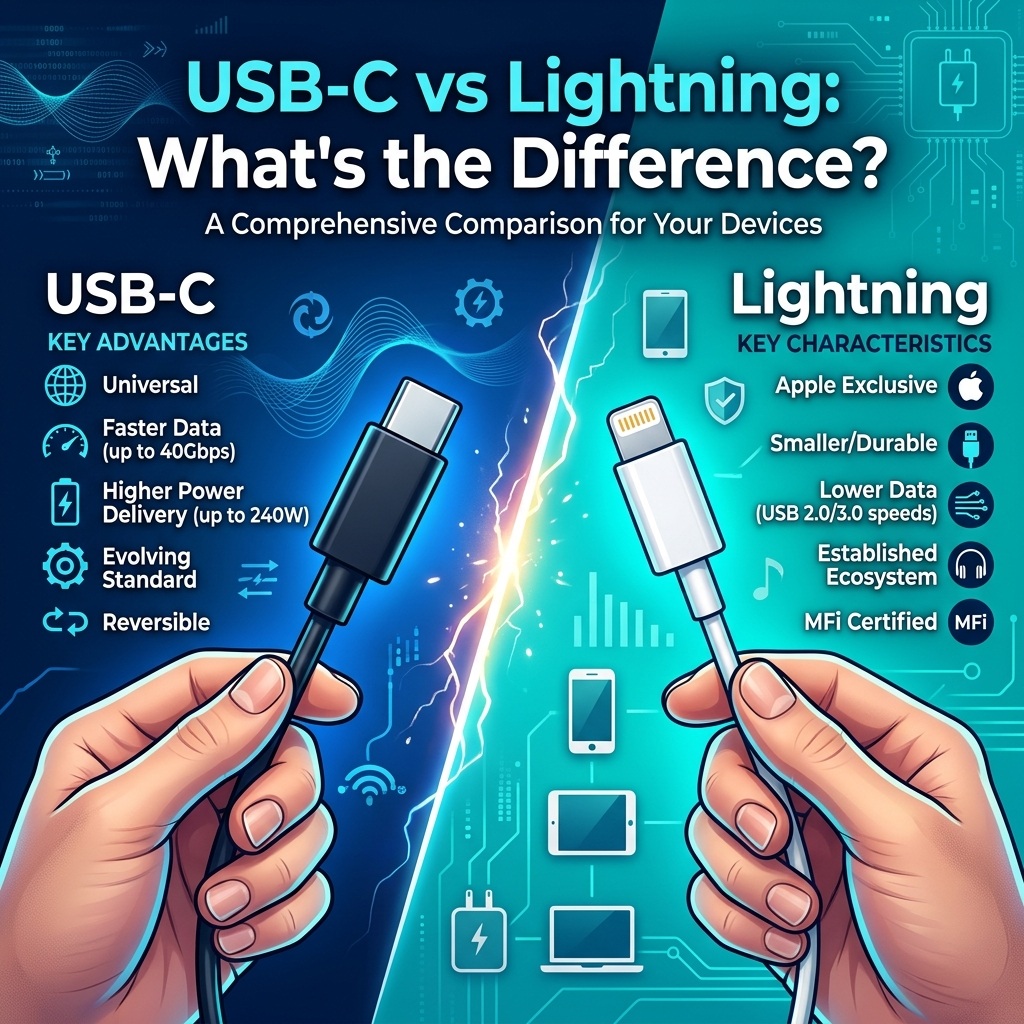
If you have used an iPhone for several years, you have probably seen both Lightning and USB-C charging cables. At first glance, they may look like two different types of charging connectors. But the differences go beyond their shape.
USB-C has become the standard connection for many modern phones, tablets, laptops, power banks, headphones, and other gadgets. Apple also moved the iPhone from Lightning to USB-C, starting with the iPhone 15. So, what exactly is the difference between USB-C and Lightning? Is USB-C actually better? Does USB-C charge faster? And if you are buying a new cable or power bank, which one should you choose?
Let’s break it down in simple terms.
What Is USB-C?
USB-C, also called USB Type-C, is a small, reversible connector used for charging, data transfer, and connecting devices to displays and other accessories. One of its biggest advantages is that you can plug a USB-C connector into the device in either direction. You do not have to check which side is facing up.
USB-C is not limited to smartphones. You can find it on laptops, Android phones, tablets, wireless headphones, gaming accessories, cameras, power banks, keyboards, and many other electronics. However, there is something important to understand: USB-C describes the connector, not the exact performance of the cable or device. A USB-C connection can support different USB standards and capabilities. Depending on the device, cable, and charger, data speeds and charging capabilities can be very different.
This is why two USB-C cables can look identical but perform very differently.
What Is Lightning?
Lightning is Apple’s proprietary connector. Apple introduced it in 2012 with the iPhone 5 as a replacement for the older 30-pin connector. Like USB-C, Lightning is reversible. You can insert the connector without worrying about which side is facing upward. For many years, Lightning was used across Apple’s mobile products, including iPhones and several iPad and accessory models. Lightning became popular because it was compact, easy to use, and worked with Apple’s ecosystem of accessories. However, it has one major limitation compared with today’s USB-C ecosystem: it is primarily associated with Apple devices. If most of your gadgets use USB-C, carrying a separate Lightning cable just for an older iPhone can be inconvenient.
USB-C vs Lightning: The Main Difference
The easiest way to understand the difference is to look at where each connector fits into today’s technology ecosystem.
| Feature | USB-C | Lightning |
|---|---|---|
| Connector type | USB Type-C | Apple’s proprietary connector |
| Reversible | Yes | Yes |
| Common on Android phones | Yes | No |
| Common on laptops | Yes | No |
| Common on modern power banks | Yes | Limited |
| Data performance | Depends on USB standard | Depends on device and implementation |
| Charging | Depends on charger, cable and device | Depends on charger, cable and device |
| Works across many brands | Yes | Mainly Apple ecosystem |
| External display support | Possible on supported devices | More limited |
| Long-term compatibility | Broad and growing | Mainly relevant to older Apple devices |
The important point is that USB-C does not automatically mean faster charging or faster data transfer. The actual performance depends on what the device and cable support.
1. USB-C Is More Widely Used
One of the biggest advantages of USB-C is compatibility. If you own a USB-C Android phone, tablet, wireless earbuds, laptop, and power bank, you may be able to use the same type of cable across several devices. That can make life much easier.
For example, imagine travelling with:
- A smartphone
- Wireless earbuds
- A power bank
- A tablet
- A laptop
If all of them use USB-C, you may only need to carry a small number of USB-C cables. With Lightning devices, you generally need a Lightning cable for compatible Apple products. This broader compatibility is one reason USB-C has become so common.
2. USB-C Can Support Faster Data Transfer
USB-C has the potential to provide significantly faster data transfer than older USB implementations commonly associated with Lightning. But there is an important catch. The USB-C connector itself does not guarantee a particular speed. USB standards can support different data-transfer rates depending on the implementation. For example, USB 3.2 includes specifications supporting 5Gbps, 10Gbps, and up to 20Gbps. That means you should not simply look at a cable and assume it supports the highest possible speed. For example, a USB-C cable may only support USB 2.0 speeds.
This is especially important when buying cables for:
- External SSDs
- Large video files
- Cameras
- Laptops
- High-speed storage
- Professional workflows
Always check the cable and device specifications if data-transfer speed matters to you.
3. Charging Speed Depends on More Than the Connector
A common misunderstanding is: “USB-C is faster, so every USB-C charger will charge my phone faster.” That is not necessarily true. Charging speed depends on several factors, including:
- The phone or device
- The charger
- The cable
- The supported charging protocol
- The power rating
- The manufacturer’s charging system
USB Power Delivery, commonly called USB PD, is one of the technologies that can be used with USB-C for higher-power charging. USB-C can support USB Power Delivery, but USB-C by itself does not automatically mean that USB PD is available. This distinction is important when shopping for a charger or power bank. A good USB-C charger paired with a compatible device can provide fast charging, but the device must support the required charging technology.
4. USB-C Is Useful Beyond Charging
Another major advantage of USB-C is that it can do more than charge a device. Depending on the device and implementation, USB-C can be used for:
- Data transfer
- External displays
- Docking stations
- Storage devices
- Audio accessories
- Charging
- Connecting peripherals
For example, Apple’s iPhone 15 specifications list USB-C support for charging and DisplayPort, while that particular model supports USB 2 data speeds of up to 480Mb/s. This example also shows why you should not assume that every USB-C device has the same capabilities. The connector may be the same, but the technology behind it can be different.
5. Why Did Apple Move From Lightning to USB-C?
Apple’s move to USB-C was a significant change for iPhone users. The iPhone 15 introduced a USB-C connector instead of Lightning. This meant that newer iPhone users could use USB-C cables that are already common with many other electronic devices. Regulation in Europe also played an important role in the wider move toward USB-C. The European Union’s common-charger rules require USB-C charging for many categories of portable electronic devices sold in the EU. The requirements cover products such as mobile phones, tablets, digital cameras, headphones and other devices, with laptops covered from 2026.
For consumers, the idea is simple: fewer different charging cables and chargers.
6. Which One Is Better for Power Banks?
If you are buying a new power bank today, USB-C is usually the more practical choice. Modern power banks commonly use USB-C for input, output, or both. This means the same cable can potentially charge your phone and recharge the power bank. For example, if your phone and power bank both use USB-C, you can carry one compatible USB-C cable instead of needing separate Lightning and USB-C cables.
But don’t choose a power bank based only on the connector.
Check its:
- Battery capacity
- USB-C output
- Maximum charging wattage
- Supported charging protocols
- Number of ports
- Build quality
- Safety features
- Warranty
A 20,000mAh power bank with USB-C may be a better option for one person, while a smaller 10,000mAh model may be more convenient for someone who mainly wants an emergency backup.
7. Is Lightning Still Useful?
Yes. If you already own an older iPhone, AirPods case, iPad, or another Apple accessory with a Lightning port, Lightning cables are still useful. There is no reason to throw away working Lightning accessories simply because USB-C is becoming more common. The sensible approach is to replace them when they stop working or when you upgrade your device. If you are buying a completely new setup, however, USB-C generally offers broader compatibility with current electronics.
USB-C vs Lightning: Which Should You Choose?
The answer depends on the devices you own.
Choose USB-C if:
- You are buying a new phone or power bank.
- You own several modern electronic devices.
- You want one cable type for multiple gadgets.
- You regularly transfer large files.
- You use USB-C laptops, tablets, or accessories.
- You want a connector with broad current and future compatibility.
Choose Lightning if:
- Your existing Apple device uses Lightning.
- You already have several good Lightning cables.
- You are replacing a damaged Lightning cable.
- Your accessories have not yet moved to USB-C.
For most people buying new electronics today, USB-C is the more versatile option.
One Important Buying Tip: Don’t Judge a Cable by Its Connector
This is probably the most useful thing to remember from this comparison. Two USB-C cables can look exactly the same but have different capabilities. One may be designed mainly for charging and basic USB 2 data transfer. Another may support much faster data speeds and additional features. The same applies to chargers and power banks. Before purchasing, look at the actual specifications rather than relying on the words “USB-C” or “fast charging” printed on the packaging. For expensive electronics, choosing a properly rated and reputable cable is also a better idea than simply buying the cheapest option available.
Final Verdict: USB-C vs Lightning
Lightning was an important connector for Apple’s mobile ecosystem for more than a decade. It was compact, reversible, and convenient for iPhone users. USB-C, however, has a much broader role across today’s electronics. It can be used across phones, tablets, laptops, power banks, storage devices, displays, and many other accessories. Its capabilities can also extend far beyond basic charging, although those capabilities depend on the specific device, cable, and USB standard. So, which is better? For older Apple devices, Lightning is still perfectly useful. For new electronics, USB-C is generally the more flexible and practical choice. The biggest advantage isn’t simply that USB-C is newer. It is that one connector can work across a much wider range of devices. And if you are buying a USB-C charger, cable, or power bank, remember one thing: check the specifications, not just the connector shape.
Frequently Asked Questions
Is USB-C better than Lightning?
For most new devices, USB-C is more versatile because it is widely used across phones, tablets, laptops, power banks, and other electronics. However, Lightning remains useful for older Apple devices that use it.
Does USB-C charge faster than Lightning?
USB-C can support fast charging technologies such as USB Power Delivery, but the connector alone does not determine charging speed. The device, charger, cable, and charging protocol all matter.
Can I use a USB-C cable with an older iPhone?
Older iPhones with Lightning ports cannot use a standard USB-C-to-USB-C cable directly. You need a suitable cable or adapter that connects USB-C to Lightning.
Is every USB-C cable the same?
No. USB-C cables can have different charging capabilities, data speeds, and supported features. Always check the specifications before buying one.
Should I buy a USB-C power bank?
If you are buying a new power bank, USB-C is generally the more practical option because it is widely supported by modern devices. Check the power bank’s output wattage, capacity, charging protocols, ports, and safety features before purchasing.
About DGW Happy
DGW Happy helps customers in Pakistan find useful smart gadgets, electronics, accessories, and everyday tech products. We focus on making technology easier to understand so you can make a better buying decision.